Staff & commissions
Track staff commissions with every invoice
Set each person's rate and have the system calculate her share when the invoice is issued, ready for the monthly report.
Start your free trial 14-day free trial, no credit card.
Features
Clearer commission tracking
The rate
Set each staff member's rate and review it when needed.
The timing
The share is calculated with the invoice, not at month end.
The report
Review commission details in the monthly report.
Review
Figures come from recorded invoices, reducing manual copying.
Clarity
See the calculation basis in the records instead of relying on memory.
Product tour
Review commissions in the monthly report
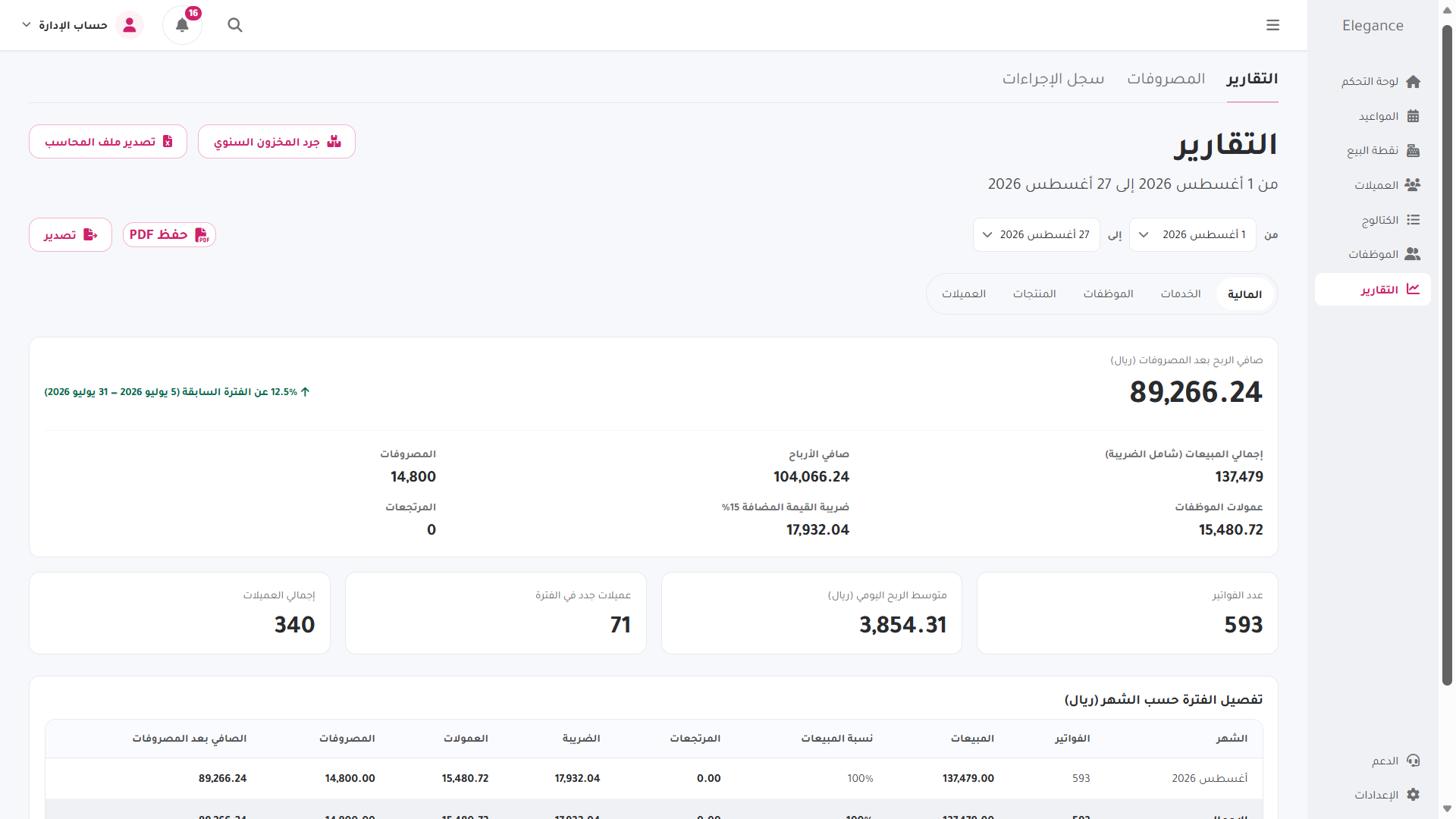
Illustrative example — Demo account — sample data, not client records.
Financial reports
See each staff share within the monthly accounts
The report shows sales, expenses, profit and VAT, with each staff member's share included in the monthly total.
- Commission calculation with invoices
- Comprehensive financial reports
- Expenses linked to inventory
- Separate permissions per staff member
Frequently asked questions
Answers about staff commissions
See how rates are set and reports are read.
How are staff commissions managed?
The system calculates each staff member's share when the payment receipt is issued, using the rate set for that person. The share appears in the monthly reports.
Can each staff member have a different rate?
Yes. Set a rate for each staff member, and the system calculates her share using that rate.
Which reports can staff access?
Each staff member has separate permissions in the system, and you can set her access level.
Features
Explore more Elegance features
Appointments & bookings
Manage the appointment calendar and share a dedicated booking link with clients.
Invoicing & point of sale
Issue QR tax invoices for multiple payment methods and keep them in the archive.
Stock & expenses
Track retail products and internal supplies in one clear view.
Beauty centres & spas
Manage departments, rooms and devices with separate permissions.
Getting started
Start with an account set up for your services and train your team to use it.
Getting started
Start with an account set up for your salon
We set the account up with your real services and prices, so you can evaluate it in your own workflow rather than on empty data.
14-day free trial · No credit card · No contract